Create a Personalized Wedding Map: A Guide to the Wedding Map Creator
When planning a wedding, every detail contributes to the story you're telling your guests. From the save-the-date to the thank-you card, consistency in your visual language builds anticipation and sets the tone for your celebration. A wedding map is one of those details that moves beyond mere function—it's a keepsake, a piece of art that guides your loved ones and captures the unique geography of your love story. This is where a dedicated design resource like the Wedding Map Creator becomes an invaluable tool for anyone tasked with bringing that vision to life.
Understanding the Wedding Map Creator: More Than Just Graphics
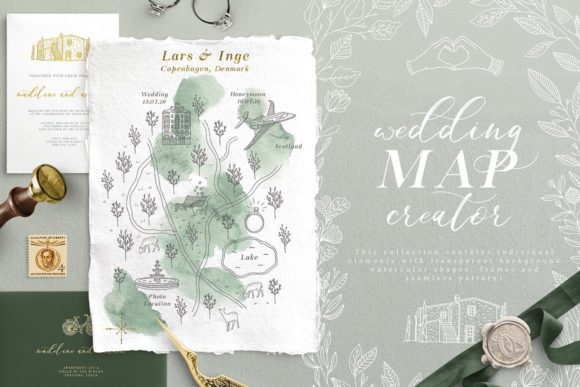
At its core, the Wedding Map Creator is a curated collection of design assets, but to call it just a set of graphics would be to miss its real purpose. It's a visual vocabulary, hand-painted and steeped in a tender, graceful mood that feels both personal and polished. Imagine the delicate stroke of a watercolor florist, the gentle curve of a hand-drawn road line, or the intricate detail of a vintage-style compass rose—all designed to work together harmoniously.
The collection's strength lies in its cohesion and flexibility. All primary elements are provided in a neutral gray and white palette. This isn't a limitation; it's a strategic advantage. It allows you, the creator, to infuse your own wedding colors, match specific stationery themes, or maintain an elegant monochromatic scheme without any color clashing. The package is comprehensive, including 30 watercolor shapes, 11 illustrative hands, 49 map elements (think landmarks, icons, and symbols), 26 road lines for pathways, and 27 floral elements plus 29 map flowers specifically designed for cartographic flair. Each set is available in versatile formats like AI, EPS, and PNG with transparent backgrounds, making it compatible with everything from Adobe Illustrator to Canva.
Practical Applications: From Invitation Suite to Venue Decor
The true value of a creative font or asset kit is measured by its real-world utility. The Wedding Map Creator excels across a surprising range of projects, acting as a foundational element for a cohesive brand identity for the wedding itself.
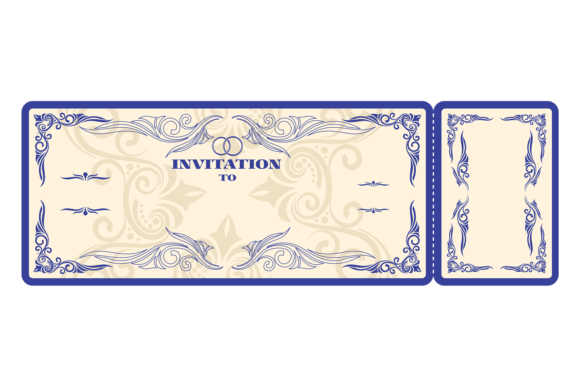
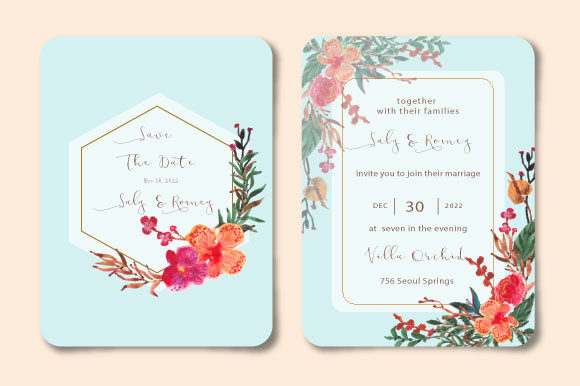
- Invitation Suites & Stationery: This is the most direct application. Use the map elements to create a custom insert for your invitation that details the ceremony, reception, and accommodation locations. The hand-painted florals and frames can also decorate the main invitation card, RSVP card, and envelopes, ensuring every piece feels connected.
- Wedding Branding & Logos: Combine a few key elements—perhaps two hands, an initial, and a floral wreath—to create a simple, elegant monogram or logo. This mark can then be used on programs, menus, napkins, and thank-you notes, creating a recognizable brand for your day.
- Digital Presence: Your wedding website is the central hub of information. Use the map elements to create interactive or static maps for your site. The watercolor shapes and florals make excellent background textures or decorative accents for digital invitations and social media announcements.
- Day-Of Decor & Signage: Think beyond paper. Use the graphics to design welcome signs, table numbers, seating charts, and even custom stickers for favors. The consistent visual style will make your venue decor feel intentional and professionally designed.
- Post-Wedding Keepsakes: The map you create isn't just for the day. Frame it as a piece of art for your home, or use the elements to design a custom guest book cover or photo album. It transforms a practical item into a sentimental heirloom.
Design Considerations: Pairing, Readability, and Professional Polish
Using a resource like this effectively requires a designer's eye, even if you're not a professional. Here’s how to ensure your final project is both beautiful and functional.
Choosing Your Foundation: Start by deciding on your primary typeface for text. The delicate, hand-drawn nature of the map elements pairs best with clean, simple serif fonts (like Garamond or Times) for a classic feel or elegant sans-serif fonts (like Lato or Montserrat) for a modern touch. Avoid overly decorative script fonts for body text, as they can clash with the intricate illustrations and harm readability. Reserve a beautiful handwritten font or script font for names or headings only, ensuring it complements rather than competes.
Evaluating Project Fit: Ask yourself: Does the tender, hand-painted aesthetic match the overall wedding mood? This collection is perfect for romantic, garden, vintage, or classic themes. For a starkly minimalist or ultra-modern wedding, you might use only a few subtle elements, like a single floral sprig or a simplified road line.
Maintaining Visual Hierarchy: Your map needs to be legible first and beautiful second. Use the provided road lines and typographic elements to guide the eye clearly from point A to point B. Employ scale and spacing to differentiate between major locations and minor landmarks. The gray and white elements allow you to control emphasis through color and weight in your final design software.
Ensuring Professional Consistency: The hallmark of good editorial design or packaging design is consistency. Stick to a limited palette of 2-3 colors applied to the gray-scale assets. Use no more than two or three complementary floral or shape elements throughout all your pieces to avoid a cluttered look. This restraint is what will make your final products look cohesive and professionally crafted.
Ultimately, the Wedding Map Creator is a toolkit for storytelling. It provides the visual vocabulary—you provide the narrative. By thoughtfully selecting, combining, and applying these elements, you can create more than just a map or an invitation; you can craft a tangible piece of your love story that guests will cherish long after the celebration ends.